
Best Power Station for Work From Home in the Philippines: Keep Wi-Fi and PC On During Brownouts
October 21, 2026 · Kippok's Outdoor
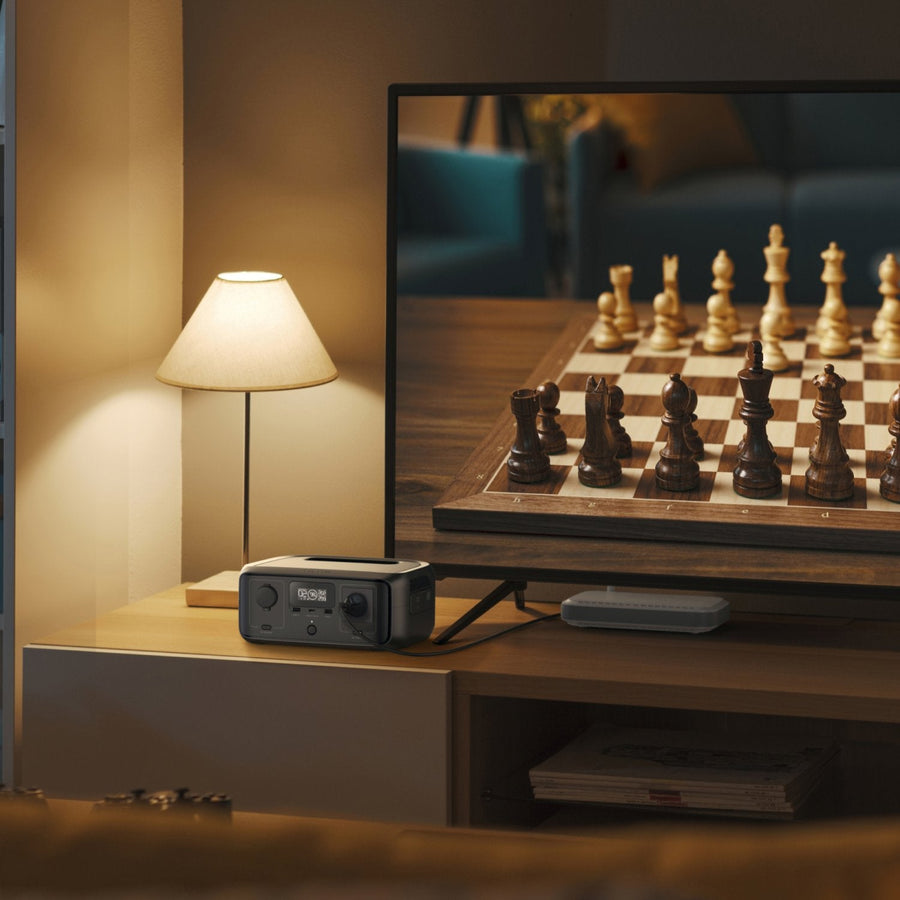
For anyone who works from home in the Philippines, a brownout means more than a hot room. Your Wi-Fi drops, your laptop or desktop shuts off, and you can miss a call, a shift or a deadline. A UPS for your Wi-Fi router and PC fixes that, and a portable power station with a built-in UPS does it for hours instead of minutes. This guide helps you pick the best power station for a work-from-home setup.
What a work-from-home setup actually needs
- Instant switchover. The backup has to take over the moment the power cuts, so your router and computer never restart.
- Enough battery for a full outage. Rotating brownouts often last a few hours, so a few minutes of backup is not enough.
- Quiet, indoor-safe power. It sits beside your desk or in your bedroom, so no fumes and very little noise.
- Room to grow. A desk fan, a monitor, a phone charger and a light usually join the list once the lights go out.
Power station vs a regular computer UPS
A typical office UPS is built to give you a few minutes to save your work and shut down. The EcoFlow power stations we carry also switch over automatically in under about 10ms, but they hold far more energy, so you can keep working through the outage instead of shutting down. They also have several AC outlets and USB ports, can recharge from the wall or from solar panels, and are portable enough to move to the sala or take on a trip.
How to estimate your runtime
Add up the watts of everything you plan to plug in (check the label or adapter of each device). Then divide the battery capacity in Wh by that total to get a rough number of hours. Real runtime is lower because of conversion losses, so plan with some margin. For example, if your router, laptop and a small fan draw a combined 100W, a 960Wh battery gives you a rough upper estimate of about 9 hours, and less in practice. For more examples, see our brownout runtime guide.
Best EcoFlow power stations for work from home
| Model | Battery | AC output | Price | Best for |
|---|---|---|---|---|
| EcoFlow RIVER 3 | 245Wh LFP | 300W, up to 600W with X-Boost | ₱13,500 | Router, modem, laptop and phones at one desk |
| EcoFlow DELTA 3 1000 Air | 960Wh LFP | 500W, up to 800W with X-Boost | ₱28,000 | A full workday setup plus a fan and lights |
| EcoFlow DELTA 3 Classic | 1024Wh LFP | 1800W, up to 2400W with X-Boost | ₱36,000 | Desktop PCs, gaming rigs or a home office shared by two |
EcoFlow RIVER 3: the desk guardian
The RIVER 3 is the simplest way to brownout-proof a laptop and Wi-Fi setup. It has a sub-10ms UPS, 30dB whisper-quiet operation for 24/7 use, 1-hour fast charging and can charge up to 6 devices at once. It is small enough to keep on your desk all the time.
EcoFlow DELTA 3 1000 Air: through the whole outage
The DELTA 3 1000 Air holds about four times the energy of the RIVER 3, so it can carry your work setup plus a fan and lights through a long rotating brownout. It weighs 9.9kg, recharges to full in about 2 hours on AC, runs whisper-quiet in a bedroom or home office, and keeps PCs and routers alive with its sub-10ms auto-switch UPS.
EcoFlow DELTA 3 Classic: for power-hungry desktops
If you use a desktop PC with a large monitor, edit video, or share the room with another worker, the DELTA 3 Classic gives you 1800W of output and 1024Wh of capacity. It charges 0 to 80% in about 45 minutes, switches over in 10ms and runs at 30dB at 600W.
Keep working through long outages with solar
After a typhoon, power can be out for days. Pair any of these units with an EcoFlow 110W bifacial solar panel and you can recharge every sunny day. The panel is ₱9,900 on its own, or only ₱7,500 per panel when bundled with a power station. Our solar generator guide explains the setup.
Quick setup tips
- Plug the power station into the wall and plug your router, modem and computer into the power station, so it is always ready.
- Keep high-wattage appliances such as a flat iron or kettle off the same unit while you work, so your battery lasts.
- Lower your screen brightness and use a laptop instead of a desktop during long outages to stretch the runtime.
- Check the EcoFlow app to see live battery level and how many watts you are drawing.
Buying from Kippok's Outdoor
We sell genuine EcoFlow units, shipped from Cebu nationwide via J&T, with a tracking number sent by email. Every unit comes with a 2-year store warranty from Kippok's Outdoor, with direct replacement within the first month. Still deciding? Read how to choose a portable power station, compare all models in our EcoFlow price guide, or contact us.
← More guides · Shop EcoFlow power stations · 110W solar panel